

Many people assume their IP address is private by default, hidden from the internet at large. This common misconception leads to confusion about online identity and security. In reality, every device connecting to the internet uses a public IP address that acts as your digital fingerprint, visible to websites, services, and potentially malicious actors. Understanding what a public IP is, how it differs from private addresses, and what information it reveals is essential for anyone concerned about online privacy, network configuration, or cybersecurity. This guide explains the fundamentals of public IP addresses, their role in internet connectivity, and practical steps to manage and protect your digital presence.
Table of Contents
- Key takeaways
- Understanding what a public IP is
- How public IP differs from private IP and why it matters
- Privacy and security implications of your public IP address
- How to find and manage your public IP address
- Discover more with Instant IP Lookup
- Frequently asked questions about public IP addresses
Key Takeaways
| Point | Details |
|---|---|
| Public IP defined | A public IP is the globally unique address assigned to your device or network for internet communication. |
| Public versus private | Public IPs are reachable on the internet while private IPs stay within local networks. |
| Role in connectivity | Public IPs provide the return address that enables communication with websites and services. |
| Privacy and security | Your public IP exposes your online identity to websites and potential malicious actors. |
| Dynamic versus static | ISPs assign dynamic addresses that can change, while static addresses remain constant for reliable remote access. |
Understanding what a public IP is
A public IP address is the unique identifier assigned to your device or network on the global internet. Think of it as your home’s postal address for digital communication. When you send a request to visit a website, that site needs to know where to send the information back, and your public IP provides that return address. Without this globally routable identifier, two-way internet communication would be impossible.
Your Internet Service Provider assigns your public IP address when you connect to the internet. Most residential users receive dynamic public IPs that change periodically, sometimes with each new connection session or router restart. Businesses and users requiring consistent remote access often pay for static public IPs that remain constant. Both IPv4 addresses, which look like 203.0.113.45, and the newer IPv6 addresses, formatted as 2001:0db8:85a3:0000:0000:8a2e:0370:7334, can serve as public identifiers.
The distinction between public and private addressing creates the foundation of modern internet architecture. Your router typically has one public IP facing the internet whilst managing multiple devices internally with private addresses. This arrangement allows entire households or offices to share a single public identifier through Network Address Translation, conserving the limited pool of available IPv4 addresses whilst maintaining individual device connectivity.
Public IP addresses possess several defining characteristics:
- Globally unique across the entire internet at any given moment
- Routable through internet infrastructure, allowing packets to reach your network from anywhere
- Assigned and managed by your ISP according to regional internet registry allocations
- Necessary for hosting servers, remote access, or any service requiring inbound connections
- Visible to every website, service, or device you communicate with online
Understanding your public IP address details helps you grasp how internet communication works and why certain security measures matter. When you browse a website, that site logs your public IP in its access records. Email servers use your public IP to verify sender legitimacy and prevent spam. Online services employ IP-based geolocation to deliver region-specific content or enforce access restrictions.
The technical reality is straightforward: public IPs are essential infrastructure that enable the internet to function as a global network. They create the addressing system that routes trillions of data packets daily to their intended destinations. Your public IP changes as you move between networks, from home broadband to mobile data to public Wi-Fi, but you always have one when connected to the internet. This constant identifier, whilst necessary for connectivity, also creates privacy and security considerations that every internet user should understand.
How public IP differs from private IP and why it matters
Private IP addresses operate within local networks and cannot be routed across the internet. These addresses, defined by specific reserved ranges, allow devices within your home or office to communicate without consuming public address space. Your laptop, smartphone, printer, and smart home devices all use private IPs assigned by your router, typically in ranges like 192.168.0.0 to 192.168.255.255 or 10.0.0.0 to 10.255.255.255.

| Characteristic | Public IP | Private IP |
|---|---|---|
| Purpose | Internet communication and global routing | Local network device communication |
| Assignment | ISP assigns from their allocated blocks | Router assigns from reserved private ranges |
| Address ranges | Any address not in private ranges | 10.0.0.0/8, 172.16.0.0/12, 192.168.0.0/16 |
| Visibility | Visible to all internet services | Only visible within local network |
| Uniqueness | Must be globally unique when in use | Can be reused across different networks |
| Security exposure | Direct internet exposure without firewall | Protected by NAT and router firewall |
The practical implications of this distinction affect your daily internet use more than you might realise. When your device with private IP 192.168.1.105 requests a webpage, your router translates that private address to your public IP before sending the request onto the internet. The website sees only your public IP, not the private addresses of individual devices behind your router. This Network Address Translation provides a security layer by hiding your internal network structure from external observers.
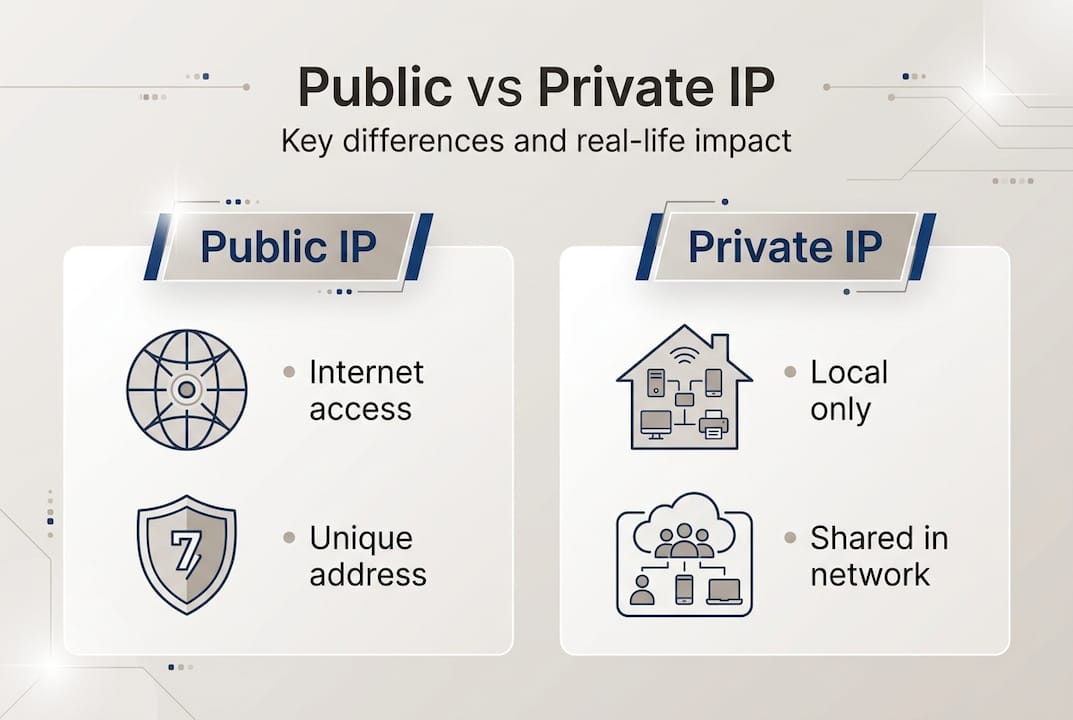
Understanding this difference becomes critical when configuring network services or troubleshooting connectivity issues. If you want to host a game server or access your home computer remotely, you need to configure port forwarding on your router to direct incoming traffic from your public IP to the correct private IP on your local network. Misconfiguring these settings can either block legitimate access or create security vulnerabilities by exposing internal devices unnecessarily.
The security implications extend beyond simple visibility. Devices with public IPs face direct exposure to internet threats unless protected by firewalls and security measures. Your router acts as a basic firewall by default, blocking unsolicited incoming connections to your private network. However, your public IP remains visible and can be targeted by port scans, distributed denial of service attacks, or exploitation attempts. Private IPs enjoy inherent protection from these external threats because they are unreachable from the internet without specific forwarding rules.
Pro tip: Check both your public and private IP addresses when troubleshooting network issues. Your router’s admin interface shows your public IP on the status page, whilst your device’s network settings display its private IP. If you can access local network resources but not internet sites, the problem likely involves your public IP or ISP connection. If you cannot reach other local devices, investigate your private IP configuration and router settings.
Privacy and security implications of your public IP address
Your public IP address reveals more information than many users realise. Websites, advertisers, and potentially malicious actors can use this identifier to approximate your geographic location, identify your Internet Service Provider, determine your connection type, and track your activity across multiple sites. Whilst your public IP does not directly expose your name, street address, or personal details, it creates a persistent identifier that enables various forms of surveillance and targeting.
Geolocation databases map IP addresses to approximate physical locations, typically accurate to city level for residential connections. This capability powers legitimate services like local weather forecasts, regional content delivery, and fraud prevention systems that flag transactions from unexpected locations. However, the same technology allows advertisers to build detailed profiles of your browsing habits, websites to enforce geographic restrictions, and threat actors to gather intelligence for targeted attacks.
Common risks associated with public IP exposure include:
- Targeted cyberattacks using your IP to probe for vulnerabilities or launch denial of service attacks
- Cross-site tracking by advertisers who correlate your IP across different websites to build behavioural profiles
- Geographic discrimination where services block or restrict access based on your IP location
- Legal exposure if your IP is associated with copyright infringement or other activities on shared networks
- Identity correlation when combined with other data points like browser fingerprints or login timestamps
“Understanding your digital footprint starts with recognising that your public IP address serves as a persistent identifier visible to every online service you access. This visibility creates both practical functionality and genuine privacy concerns that require informed management strategies.”
Public Wi-Fi networks present heightened risks because multiple users share the same public IP address. Whilst this sharing provides some anonymity, it also means your traffic passes through infrastructure you do not control. Malicious actors operating rogue access points can intercept unencrypted traffic, inject malicious content, or log your activity. Even legitimate public networks often lack proper security configurations, leaving users vulnerable to eavesdropping by other connected devices.
Protecting your privacy requires understanding these risks and implementing appropriate countermeasures. Virtual Private Networks encrypt your traffic and mask your real public IP by routing connections through VPN servers, making you appear to browse from different locations. Proxy servers offer similar functionality with varying levels of encryption and anonymity. Regular IP checks help you verify whether privacy tools are functioning correctly and detect unexpected changes that might indicate security issues.
The Tor network provides maximum anonymity by routing traffic through multiple encrypted relays, making it extremely difficult to trace activity back to your original IP. However, this approach significantly reduces browsing speed and some websites block Tor exit nodes. For most users, a reputable VPN service offers the best balance between privacy protection and usable performance for everyday browsing.
Browser privacy features like tracking protection and cookie management complement IP-level protections by limiting other identifiers websites can use to track you. However, these measures cannot hide your public IP from the sites you visit directly. Only routing your traffic through intermediary servers via VPN, proxy, or Tor actually masks your true public IP address from destination websites.
How to find and manage your public IP address
Checking your current public IP address takes seconds using various methods suited to different technical comfort levels. The simplest approach involves visiting IP lookup websites that instantly display your public IP along with associated information like ISP, location, and connection type. These services work by reading the source IP address from your HTTP request, providing immediate results without requiring any configuration or technical knowledge.
Alternative methods include:
- Visit a dedicated IP checking website like Instant IP Lookup that displays your public IP immediately upon loading
- Access your router’s administrative interface, typically at 192.168.1.1 or 192.168.0.1, and view the WAN or Internet status page showing your public IP
- Use command line tools: type “curl ifconfig.me” in Terminal on Mac or Linux, or “nslookup myip.opendns.com resolver1.opendns.com” in Windows Command Prompt
- Check your ISP’s account portal or mobile app, which often displays your current public IP assignment
- Use network diagnostic apps on smartphones that show both your private and public IP addresses
| Method | Accuracy | Ease of use | Information provided | Tools required |
|---|---|---|---|---|
| IP lookup website | 100% accurate | Very easy | IP, location, ISP, connection type | Web browser only |
| Router interface | 100% accurate | Moderate | IP, connection status, uptime | Router access credentials |
| Command line | 100% accurate | Requires technical knowledge | IP address only | Terminal or Command Prompt |
| ISP portal | 100% accurate | Easy | IP, account details, usage | ISP account login |
| Mobile apps | 100% accurate | Very easy | IP, network details, speed tests | Smartphone app installation |
Understanding when and why your public IP changes helps you anticipate connectivity issues or security implications. Most residential ISPs assign dynamic IPs that change when your router reconnects, after extended offline periods, or during routine network maintenance. Business connections often include static IPs that remain constant, essential for hosting servers or maintaining remote access configurations.
Monitoring your public IP serves several practical purposes beyond simple curiosity. If you configure remote access to home systems, you need to know your current public IP to connect from external locations. Security-conscious users check their IP regularly to verify VPN functionality or detect unexpected changes that might indicate network compromise. Website administrators monitor their server IPs to ensure DNS records remain accurate and troubleshoot access issues.
Pro tip: Set up automated IP monitoring if you rely on remote access to home systems with a dynamic public IP. Services like Dynamic DNS automatically update domain name records when your IP changes, maintaining consistent access even with dynamic addressing. Alternatively, many routers can email you when your public IP changes, helping you maintain remote access without manual checks.
Advanced users benefit from understanding IP lookup results beyond the basic address. Geolocation accuracy varies by ISP and region, with mobile connections often showing less precise locations than fixed broadband. ASN (Autonomous System Number) information identifies the network operator, useful for troubleshooting routing issues or verifying VPN server ownership. Reverse DNS lookups can reveal whether an IP belongs to a residential ISP, business network, or hosting provider.
Regular IP checks become particularly important when using privacy tools. After connecting to a VPN, verify that your public IP reflects the VPN server location rather than your true location. DNS leak tests confirm that your DNS queries route through the VPN rather than your ISP, preventing privacy bypasses. These simple checks ensure your privacy tools function correctly and protect your online activity as intended.
Discover more with Instant IP Lookup
Now that you understand what public IP addresses are and why they matter, you can take practical steps to monitor and protect your online identity. Instant IP Lookup provides comprehensive tools designed specifically for users who want to understand and manage their internet presence. Our IP address lookup tool instantly reveals your current public IP along with detailed geolocation data, ISP information, and connection characteristics that help you verify your network status and privacy settings.
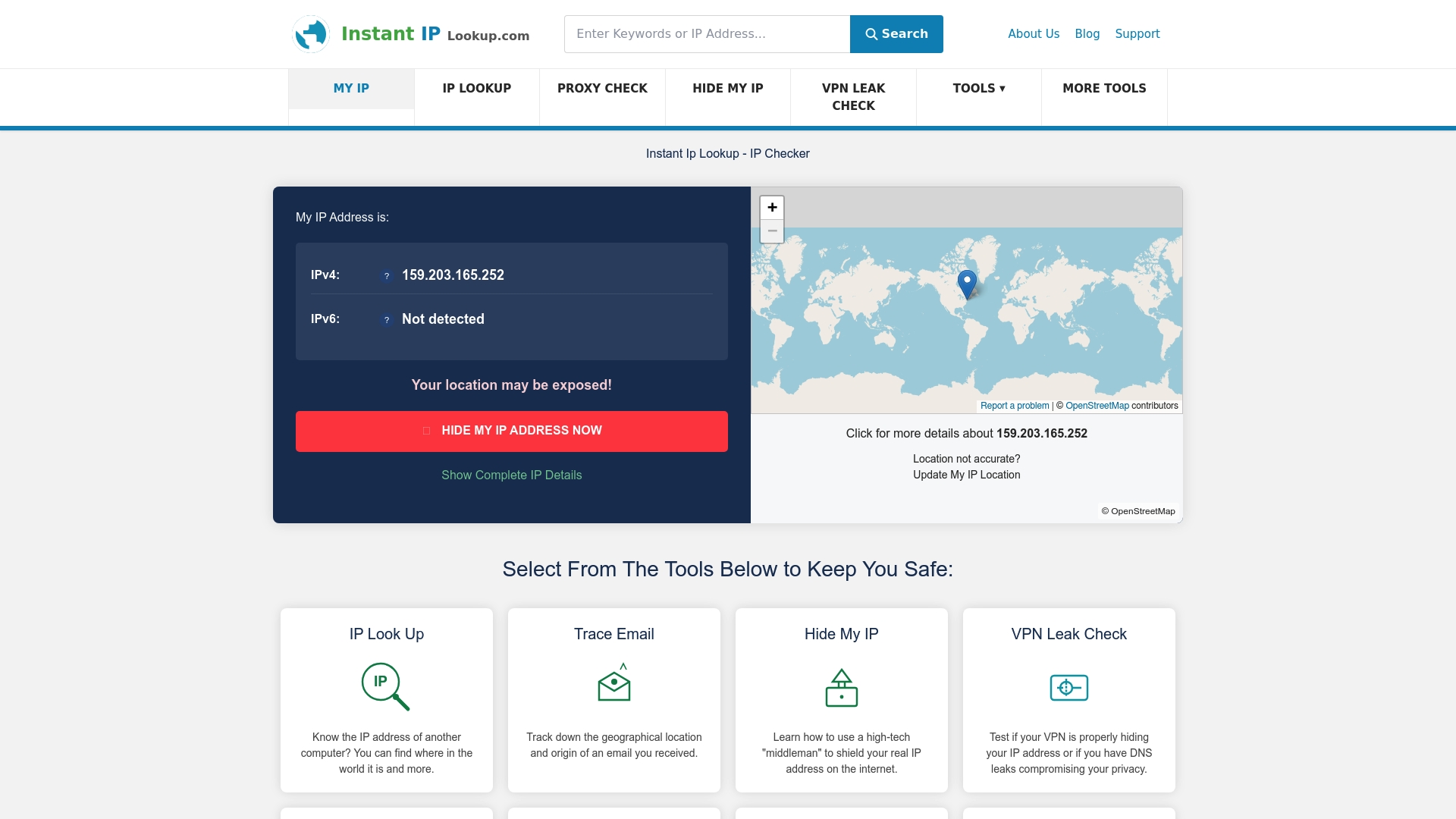
Whether you need to check if your VPN is working correctly, verify your approximate location as seen by websites, or simply understand what information your public IP reveals, our platform delivers accurate results in seconds. The IP to location finder helps you see exactly how websites perceive your geographic position, whilst our detailed guides on understanding IP lookup results ensure you can interpret the technical information correctly. These tools empower you to make informed decisions about your online privacy and network security.
Frequently asked questions about public IP addresses
What exactly does a public IP address reveal about me?
Your public IP reveals your approximate geographic location, usually accurate to city level, along with your Internet Service Provider and connection type. It does not directly expose your name, street address, or personal identity, but websites can use it to track your activity and build behavioural profiles across multiple visits.
Can two devices have the same public IP address?
Yes, multiple devices within the same network share one public IP address through Network Address Translation. Your router manages internal private IPs whilst presenting a single public IP to the internet. However, two completely separate networks cannot use the same public IP simultaneously, as this would break internet routing.
How often does my public IP address change?
For most residential users with dynamic IP assignments, your public IP changes when your router reconnects to your ISP, after extended offline periods, or during network maintenance. Some ISPs change IPs daily, whilst others maintain the same address for weeks or months. Business connections with static IPs never change unless specifically reconfigured.
Is it dangerous for websites to know my public IP address?
Knowing your public IP is necessary for websites to function and send data back to you. The risk comes from how that information might be used for tracking, targeting, or attacks. Using a VPN masks your real public IP from websites, whilst maintaining necessary connectivity. Regular users face minimal direct danger, but privacy-conscious individuals should understand the tracking implications.
Can I hide my public IP address completely?
You cannot connect to the internet without a public IP address, but you can mask your real IP using VPNs, proxy servers, or Tor. These services route your traffic through their servers, so websites see the intermediary’s IP rather than yours. However, your ISP and the privacy service itself still know your actual public IP address to route traffic correctly.

Comments (0)