

Many IT professionals treat IP addresses as mere network identifiers, overlooking their full diagnostic and security potential. This oversight costs valuable time during incident response and leaves networks vulnerable to threats that proper IP analysis would catch immediately. Understanding how to leverage IP address diagnostics and geolocation tools transforms routine support tasks into strategic security operations. This guide reveals how modern IT support teams use IP intelligence to detect threats faster, troubleshoot networks more precisely, and build stronger security postures across their infrastructure.
Table of Contents
- Understanding IP Addresses In IT Support
- Using IP Address Diagnostics To Enhance Network Troubleshooting
- IP Geolocation And Its Role In Network Security
- Advanced IP Tools For Detecting Proxies, VPNs And Enhancing Privacy
- Explore Powerful IP Tools At Instant IP Lookup
Key takeaways
| Point | Details |
|---|---|
| IP addresses identify devices | Every network device requires a unique IP address for communication and tracking |
| Geolocation enhances security | Location data from IPs enables rapid threat detection and anomaly identification |
| Diagnostic tools speed resolution | IP-based diagnostics pinpoint network issues faster than traditional methods |
| Static versus dynamic matters | IP assignment type directly impacts troubleshooting approaches and security policies |
| Detection prevents fraud | Identifying proxies and VPNs protects against unauthorised access and malicious activity |
Understanding IP addresses in IT support
IP addresses form the foundation of every network interaction you manage. These numerical labels identify devices on networks, enabling communication between systems and providing crucial data for support operations. Two primary versions exist: IPv4 uses 32-bit addresses like 192.168.1.1, whilst IPv6 employs 128-bit addresses to accommodate the expanding internet.
The distinction between static and dynamic IP addresses fundamentally shapes your troubleshooting strategy. Static IPs remain constant, simplifying device tracking and access control policies. Dynamic IPs change periodically through DHCP assignment, requiring different diagnostic approaches when investigating incidents or configuring network rules.
Every device connecting to your network receives an IP address that serves multiple support functions. You use these identifiers to track user activity, monitor bandwidth consumption, enforce security policies, and diagnose connectivity problems. Without proper IP address management, even basic support tasks become unnecessarily complex.
Common IT support tasks involving IP addresses include:
- Identifying devices experiencing connectivity issues through IP-based network scans
- Tracking unauthorised access attempts by analysing IP logs and patterns
- Configuring firewall rules based on IP ranges and specific addresses
- Resolving DNS problems by verifying IP-to-hostname mappings
- Monitoring network performance by correlating IP addresses with bandwidth usage
- Investigating security incidents through IP address correlation and timeline analysis
Your ability to interpret IP data directly impacts resolution times. When users report connectivity problems, checking their assigned IP address reveals whether they received a valid network configuration. Duplicate IP conflicts, incorrect subnet assignments, and DHCP exhaustion all manifest through IP-related symptoms that skilled support staff recognise immediately.
Network segmentation relies heavily on IP address schemes. You organise devices into logical groups using IP subnets, controlling traffic flow and applying security policies based on address ranges. This structure enables you to isolate departments, separate guest networks, and implement zero-trust architectures that verify every connection attempt.
Using IP address diagnostics to enhance network troubleshooting
IP diagnostic tools transform vague user complaints into actionable technical data. When someone reports slow performance or connection drops, you need concrete information about their network path, not subjective descriptions. Hostname lookup helps identify devices by translating IP addresses into recognisable names, revealing which systems are involved in network issues.

Reverse DNS queries provide critical context during incident investigation. You enter an IP address and receive the associated hostname, confirming whether traffic originates from legitimate sources or suspicious external networks. This verification step catches spoofing attempts and identifies misconfigured servers that claim incorrect identities.
Systematic diagnostic workflows follow predictable patterns:
- Capture the problematic IP address from user reports or monitoring alerts
- Perform hostname lookup to identify the device and verify its expected location
- Check IP reputation databases to rule out blacklisting or known malicious sources
- Trace the network path using tools that reveal routing hops and latency points
- Analyse DNS resolution to ensure proper name-to-IP mapping without hijacking
- Verify subnet configuration matches intended network segmentation policies
- Cross-reference IP logs with security events to identify patterns or anomalies
Interpreting diagnostic results requires understanding normal versus abnormal patterns. Unexpected geographic locations for supposedly local IP addresses signal VPN usage or compromised credentials. Multiple failed authentication attempts from rotating IP addresses indicate brute force attacks. Sudden traffic spikes from unfamiliar IP ranges suggest botnet activity or data exfiltration.
The privacy and security tools available for IP tracking enable comprehensive network visibility. You monitor real-time connections, identify bandwidth hogs, and spot unauthorised devices attempting network access. These capabilities transform reactive support into proactive network management.
Pro tip: Always verify IP ownership through multiple sources before taking action. A single lookup might return outdated information, but cross-referencing WHOIS data, geolocation services, and reputation databases provides reliable confirmation. This verification prevents false positives that waste time investigating legitimate traffic whilst real threats go unnoticed.
Common diagnostic pitfalls include trusting cached DNS data, ignoring IP address reuse in dynamic environments, and failing to account for NAT translations that mask internal addresses. You must refresh your data sources regularly and understand how network address translation affects visibility into actual device IPs versus gateway addresses.
IP geolocation and its role in network security
Geolocation technology maps IP addresses to physical locations, providing security context that raw numbers cannot convey. When authentication attempts originate from unexpected countries, you immediately recognise potential account compromise. This geographic awareness enables rapid threat identification that would otherwise require extensive log analysis.
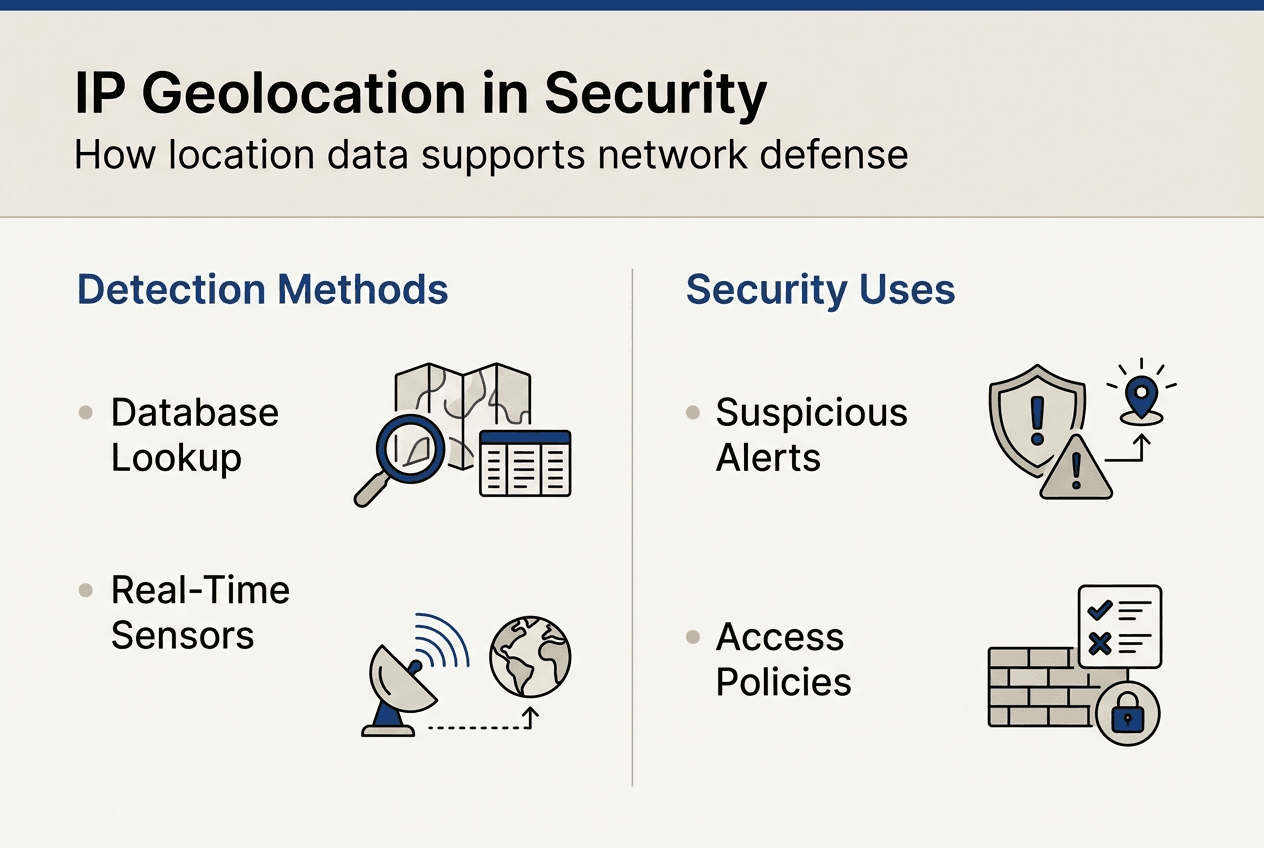
Detecting suspicious activity through geolocation has become standard practice in modern security operations. You establish baseline location patterns for users and devices, then trigger alerts when connections appear from anomalous regions. An employee who logged in from London yesterday cannot legitimately authenticate from Singapore minutes later without travel time.
Geolocation methods vary in precision and reliability. Database lookups match IP addresses to known locations based on registration data and network topology. These databases require constant updates as ISPs reassign address blocks and organisations relocate infrastructure. Active measurement techniques like latency analysis provide more accurate results but demand additional network resources.
Accuracy of IP geolocation depends on multiple factors including database freshness, IP allocation practices, and geographic density of network infrastructure. Urban areas with numerous ISPs achieve city-level accuracy, whilst rural regions might only resolve to country or region level. Mobile networks introduce additional complexity as devices move between cell towers.
| Method | Accuracy | Speed | Cost | Best Use Case |
|---|---|---|---|---|
| Database lookup | City level | Instant | Low | Real-time threat screening |
| Latency measurement | Building level | Moderate | Medium | Fraud investigation |
| GPS validation | Metre level | Slow | High | Physical security verification |
| ISP registration | Region level | Instant | Free | Basic geographic filtering |
Real-time threat identification leverages geolocation data alongside other security signals. You correlate IP locations with user behaviour patterns, device fingerprints, and access timestamps to build comprehensive risk profiles. Login attempts from high-risk countries trigger additional authentication requirements, whilst familiar locations allow seamless access.
Pro tip: Combine geolocation monitoring with proxy and VPN detection for complete visibility. Attackers routinely use anonymising services to mask their true locations, making geographic data unreliable without additional verification. Tools that identify these services reveal when someone deliberately obscures their origin, which itself constitutes suspicious behaviour worth investigating.
Geolocation enables sophisticated access control policies beyond simple allow/deny rules. You implement adaptive authentication that adjusts security requirements based on connection context. Familiar locations require standard credentials, whilst unusual regions demand multi-factor verification. This balance maintains security without frustrating legitimate users.
Advanced IP tools for detecting proxies, VPNs and enhancing privacy
Anonymising technologies complicate security monitoring by obscuring true IP origins. Proxies relay traffic through intermediary servers, whilst VPNs encrypt connections and route them through remote endpoints. Both techniques hide the actual source IP address, making traditional geolocation and reputation checks ineffective without specialised detection.
Proxy detection prevents fraud by identifying when users deliberately mask their locations. Fraudsters use proxy networks to circumvent geographic restrictions, create multiple accounts, and hide their identities during attacks. Detecting these services enables you to apply appropriate security measures before damage occurs.
Common anonymising technologies identifiable through IP analysis include:
- Residential proxies that route traffic through legitimate home connections
- Data centre proxies operating from commercial hosting facilities
- VPN services that encrypt traffic and assign alternative IP addresses
- Tor exit nodes that anonymise traffic through multiple relay hops
- Web proxies accessed through browser-based interfaces
- SOCKS proxies handling various protocol types beyond HTTP
VPN detection tools analyse network characteristics that reveal encrypted tunnelling. Known VPN provider IP ranges, unusual port usage, and traffic patterns inconsistent with direct connections all indicate VPN usage. These signals help you enforce policies that require direct connections for sensitive operations.
| Detection Method | Proxy Effectiveness | VPN Effectiveness | False Positive Rate | Implementation Complexity |
|---|---|---|---|---|
| IP database matching | High | High | Low | Simple |
| Port analysis | Medium | High | Medium | Moderate |
| Traffic pattern inspection | High | Medium | Medium | Complex |
| DNS leak testing | Low | High | Low | Simple |
| Timing analysis | Medium | Medium | High | Complex |
Integrating detection tools into support routines requires balancing security with legitimate privacy needs. Many users employ VPNs for valid reasons including remote work, public WiFi protection, and personal privacy preferences. Your policies must distinguish between acceptable privacy measures and suspicious anonymisation attempts.
Best practices include whitelisting known corporate VPN endpoints, requiring additional verification for detected proxies, and logging anonymisation attempts for security review. You cannot block all privacy tools without impacting legitimate users, but you can apply risk-appropriate security measures based on detection results.
Advanced attackers chain multiple anonymising services to evade detection. They route traffic through VPNs, then proxies, then Tor, creating layers that obscure their origins. Your detection strategy must account for these sophisticated techniques by analysing multiple indicators rather than relying on single data points.
Explore powerful IP tools at Instant IP Lookup
Your network security and troubleshooting capabilities depend on accessing reliable IP intelligence quickly. Instant IP Lookup provides comprehensive tools specifically designed for IT professionals managing complex networks and investigating security incidents.
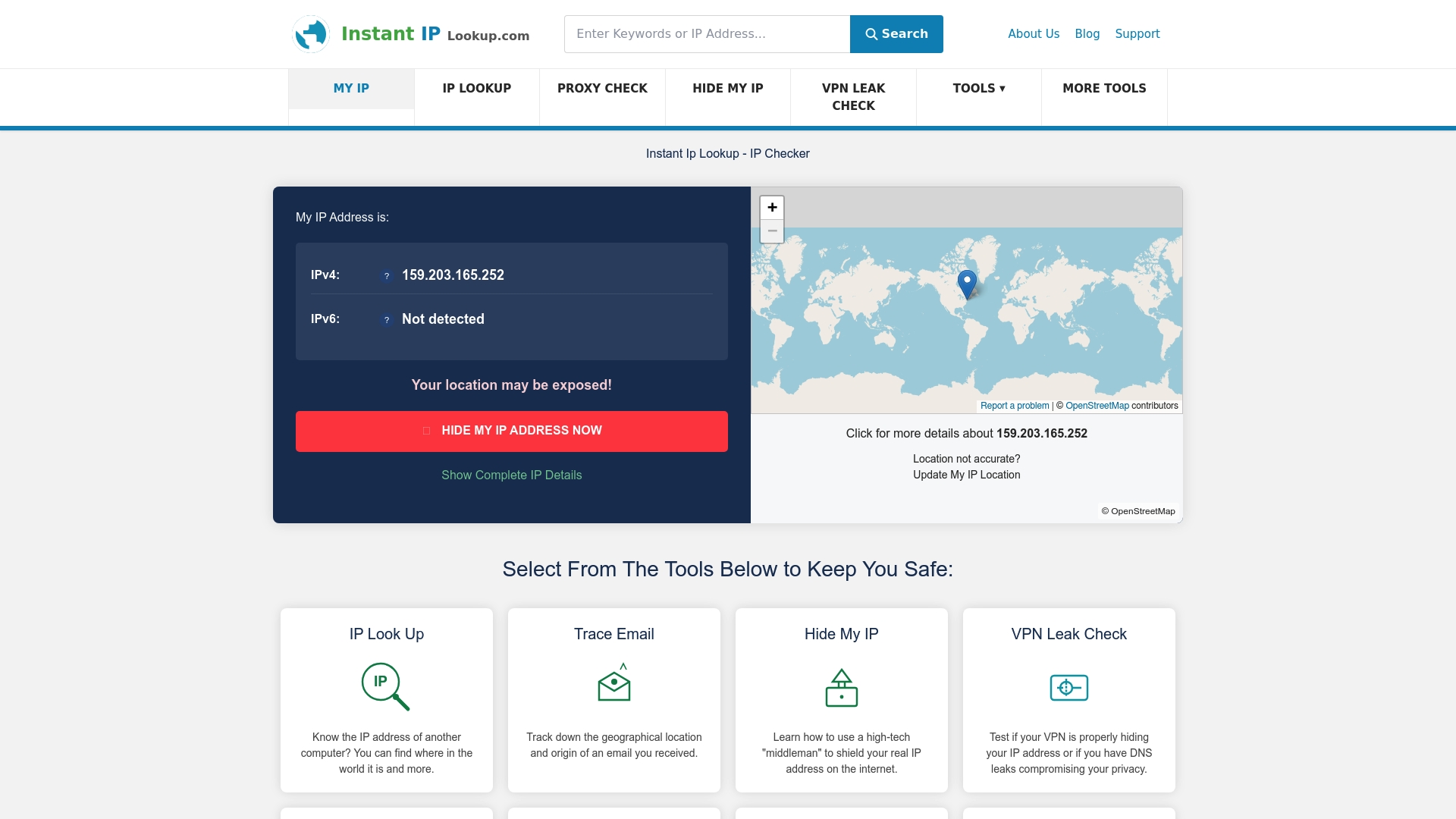
The IP address lookup and geolocation tool delivers instant visibility into device locations, ISP details, and network characteristics essential for rapid incident response. You identify suspicious connections immediately, verify user locations during authentication, and track network activity across your infrastructure.
When troubleshooting network issues, the IP to location finder reveals geographic context that explains connectivity patterns and performance variations. Regional outages, routing problems, and ISP-specific issues become apparent when you map IP addresses to physical locations.
The hostname lookup tool accelerates diagnostics by translating cryptic IP addresses into recognisable device names. You quickly identify which servers, workstations, or network equipment require attention without manually cross-referencing internal documentation.
Frequently asked questions
What is the difference between static and dynamic IP addresses for IT support?
Static IP addresses remain constant, simplifying device tracking and access control configuration. Dynamic IPs change periodically through DHCP, requiring different troubleshooting approaches since the same device receives different addresses over time. Static addresses suit servers and network equipment requiring consistent accessibility, whilst dynamic assignment works well for end-user devices.
How accurate is IP geolocation data for security purposes?
IP geolocation typically achieves city-level accuracy in urban areas with dense network infrastructure, sufficient for most security applications like detecting impossible travel scenarios. Rural locations and mobile networks may only resolve to region or country level. Combining geolocation with other security signals like device fingerprinting and behaviour analysis compensates for accuracy limitations.
Can IP tools detect if a device is using a VPN or proxy?
Yes, specialised tools identify VPN and proxy usage through multiple detection methods including known provider IP ranges, unusual port configurations, and traffic pattern analysis. However, sophisticated users can evade detection by using residential proxies or lesser-known VPN services. No detection method achieves perfect accuracy, so security policies should account for false positives and negatives.
Why is IP address understanding critical for network troubleshooting?
IP addresses provide the fundamental identifier for every network device and connection, enabling you to track traffic flows, isolate problem devices, and verify proper network configuration. Without IP-level visibility, you cannot determine whether issues stem from device problems, network congestion, routing failures, or security incidents. Effective troubleshooting requires correlating symptoms with specific IP addresses.
How can IP diagnostics improve threat detection times?
IP diagnostics enable immediate identification of suspicious connection sources through geolocation anomalies, reputation checks, and proxy detection. You spot unauthorised access attempts within seconds rather than discovering breaches days later through manual log review. Automated IP analysis continuously monitors network activity, alerting you to threats as they emerge rather than after damage occurs.
Recommended
- Everything You Need To Know About IP Addresses And Why They Matter In 2025 – Instant Ip Lookup
- The Ultimate Guide To Using IP Lookup For Cybersecurity And Privacy – Instant Ip Lookup
- How to check IP address: complete 2026 guide
- What is IP masking: your 2026 guide to online privacy
- What Is Remote Monitoring and Its Role in Security Jobs
in

Comments (0)